How to Build AI for Real Business Problems
Key facts: How to Build AI for Real Business Problems
Build AI for business with a practical start-to-launch plan.
build ai?
Building AI starts with one narrow business problem, such as summarising research or answering common support questions. Teams can then choose a no-code builder, chat-based tool, or developer platform based on speed and control needs.
how to build ai agent?
Begin by defining one user, one workflow, and one success condition in plain language. Build a small prototype, test it with realistic tasks, and improve it before adding more features or autonomy.
how to build ai agents?
Multiple AI agents are better approached after a simple first system proves useful on a repeatable task. Early work should stay focused, with clear review steps, privacy checks, and human oversight for higher-risk outputs.

How to Build AI for Real Business Problems — More businesses now want software that fits the way they actually work, not just a standard tool with fixed features. That shift is one reason interest in build AI options has grown so quickly. BuildAI frames this clearly: competitive businesses do not only use software, they build custom tools that match their workflow, audience, and offer. What used to mean hiring developers and waiting through long projects can now start with no-code or low-code tools, faster setup, and a much lower barrier to testing an idea.
Business.gov.au says AI can help improve productivity, support better decisions, help with research, and connect with customers when it is used properly. That makes AI useful across many everyday business tasks, from summarising information to spotting patterns in customer and sales data. In this article, the focus is on how businesses can build AI in a practical way, starting with a clear need and then choosing a path that fits their skills, budget, and speed, whether that means a no-code app builder or a more technical platform.
Who is this guide for?
Founders & Builders
For operators validating demand, pitching a vision, and moving before momentum stalls.
Students & Switchers
For readers learning how strong technical partners evaluate traction, skills, and fit.
Community Builders
For connectors, mentors, and organisers helping founders meet collaborators in the right rooms.
Start with one business problem worth solving
When you build AI, the best place to start is not with a broad idea like "an AI assistant for everything." It is with one clear business problem that already slows work down or makes decisions harder. Government guidance for Australian businesses frames AI as a tool to improve productivity, support better decisions, and connect with customers, which makes practical use cases a better starting point than abstract ambition. A strong first use case is usually tied to a real job such as summarising research, helping staff find internal knowledge faster, answering common support questions, or spotting trends in customer and sales data.
That simple frame turns a vague AI idea into a workable experiment. For example, instead of saying "we need AI for marketing," you might define a smaller task like "a team member uploads customer feedback, the tool summarises common themes, and the marketing team uses that summary to choose next month’s message." This kind of bounded problem is measurable and repeatable. It also fits the faster path promised by modern AI app tools: describe a focused need, build something usable, and learn from real use before expanding the scope.
For start with one business problem worth solving, focus on Prefer a small workflow with clear value over a general assistant.
- Prefer a small workflow with clear value over a general assistant.

Choose the right build path for your team
There is no single best way to build AI. The right path depends on who is doing the work, how fast you need to validate the idea, and how much control you need over the final system. For many teams, the first decision is not about the model. It is about the build environment and how much technical depth the project really needs.
No-code tools aim to turn an idea into a working app quickly through prompts or conversation. Chat-based builders also focus on speed, especially for websites, interfaces, and early product concepts. Developer platforms are better suited when teams need broader model access, tuning options, enterprise tooling, or a clearer path from experiment to production.

When fast builders make sense
No-code AI builders are a strong fit when the main goal is to test an idea quickly. BuildAI, for example, positions itself around creating working apps in minutes without coding and describes a flow from idea to live app in three steps. That makes this kind of tool useful for founders, operators, educators, or small teams who want to launch a simple customer-facing or internal tool without waiting on a full engineering cycle.
Chat-based app builders sit close to this same category, but they are especially useful for interface-heavy work. Bolt describes building apps and websites by chatting with AI and highlights prototypes, design systems, and production-oriented interfaces in one visual environment.
When a developer platform is the better choice
Google AI's build tools separate lighter-weight starting points from Vertex AI, which is presented as an enterprise platform with access to many models and development features.
If you need wider model choice, enterprise features, or stronger support for production workflows, a developer platform is the safer option. It is typically slower to set up than a no-code builder, but it gives technical teams more control over how the AI system is built, tested, and scaled.
Practical next steps
- 1Prefer a small workflow with clear value over a general assistant.
Move from idea to prototype in a small number of phases
A good first step is to describe the job in plain language before you touch any tool. Several builder platforms frame this as a conversation: you describe what you want, who it is for, and what a working result should do. Instead of saying you want to “build AI,” define one workflow, one user, and one success condition, such as helping a customer answer a common question or helping a team complete one repeatable task faster.
The next step is to turn that description into a minimal prototype with a no-code builder or a developer studio. The sources support both paths: chat-based builders promise quick app and prototype creation from your words, while AI studios give developers a place to start building with models and tools. In either case, keep the first build narrow. A small prototype is easier to review, easier to change, and more useful for learning than a larger system built on assumptions.
- Phase 2: build a minimal version in a no-code builder or AI studio.
Build the smallest useful version
The no-code builder sources emphasise getting from idea to working app quickly, which supports a simple approach: create the basic flow, make sure the output is understandable, and avoid adding extra features too early. If your concept needs a web interface, prompt flow, or simple app logic, a builder can help you get that into a usable form without starting with a full production build.
Test with realistic tasks before expanding
Once the prototype works at a basic level, test it with realistic prompts, sample data, and user tasks. More detailed AI process guidance also supports defining the problem clearly and evaluating the result against that goal. If the prototype struggles on real inputs, tighten the scope or improve the instructions before adding complexity.
Build AI responsibly before you scale it
It is tempting to focus only on speed when you build AI, especially now that many platforms make it easy to start with ready-made models and developer tools. But responsible use needs to begin at the same time as the first prototype, not after launch. Business.gov.au frames AI as something that can improve decisions, productivity, and customer connections when it is used properly. That is the key point: early value and early responsibility should move together, particularly if the system touches customer interactions, staff workflows, or business decisions.
Think about privacy before you connect business records, customer information, or internal documents to a tool. Generative AI can help with research, summaries, and draft content, but it should not be treated as automatically correct.
If an AI system is helping with customer communication, recommendations, or anything that could influence a decision, someone should be responsible for checking what it produces before the business relies on it. This does not need to be heavy governance at the start. Doing this early builds trust inside the team and helps you avoid expensive rework when you scale.
For build ai responsibly before you scale it, focus on Check data quality before you judge model performance, Review privacy risks before using customer or internal business data, and Add human sign-off where mistakes could affect people or decisions.
- Check data quality before you judge model performance.
- Review privacy risks before using customer or internal business data.
- Add human sign-off where mistakes could affect people or decisions.

Launch small, learn fast, and decide what to improve next
If you want to build AI, start with one useful workflow instead of a big all-in platform idea. A small first version is easier to launch, easier to test, and easier to change when you learn something new. That fits the current wave of AI builders that let teams move from an idea to a working app or prototype quickly through simple prompts or a chat-style interface.
From there, pick the build path that matches your team today. If you need speed and low technical overhead, a no-code or chat-based builder may be enough to get a first product live. If you need more control, a more production-focused app builder may be a better fit. Once the first version is in people’s hands, pay attention to how they actually use it and whether it improves productivity, decisions, or customer experience. Then improve the next version based on real behaviour, not guesses. Teams that build AI well usually begin with clarity, move fast, and keep iterating with care.

More from the MLAI article library
Browse practical guides and explainers on AI, startups, and careers, written by the MLAI community for Australian startups and teams.
Browse all articlesSources & further reading
[1]BuildAI - Build AI Apps In Minutes, No Coding Required
buildai.space • buildai.space
Guide[2]Tools for developers to get started — Google AI
ai.google • ai.google
Guide[3]Artificial intelligence (AI) | business.gov.au
business.gov.au • business.gov.au
Guide
Show all 9 references (6 more)Show less
[4]Can Artificial Intelligence help your business? | NSW Small Business Commissioner
smallbusiness.nsw.gov.au • smallbusiness.nsw.gov.au
Guide[5]How to Build an AI Model Step by Step (2025 Guide) | Clarifai
clarifai.com • clarifai.com
Guide[6]Bolt AI builder: Websites, apps & prototypes
bolt.new • bolt.new
Guide[7]Getting started with AI for your small business | ANZ
anz.com.au • anz.com.au
Guide[8]An effective AI strategy: How to build one | Google Cloud Blog
cloud.google.com • cloud.google.com
Guide[9]Artificial Intelligence Strategy | Digital NSW
digital.nsw.gov.au • digital.nsw.gov.au
Guide
Disclaimer: This article provides general information and is not legal or technical advice. For official guidelines on the safe and responsible use of AI, please refer to the Australian Government’s Guidance for AI Adoption →
Need a practical path to build AI?
Start with one clear workflow, choose the right build path for your team, and use practical guides to move from idea to a tested first version.
Explore practical AI resourcesAbout the Author
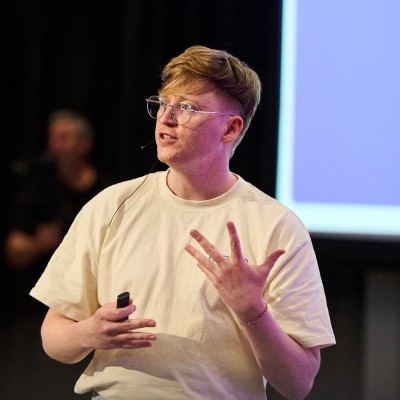
Dr Sam Donegan
Medical Doctor, AI Startup Founder & Lead Editor
Sam leads the MLAI editorial team, combining deep research in machine learning with practical guidance for Australian teams adopting AI responsibly.
Frequently Asked Questions
What is the best first use case when you want to build AI?
Should a business use no-code tools or a developer platform?
How do you test an AI prototype properly?
What governance basics matter before scaling AI?
Why is a small launch better than a broad AI rollout?
Disclaimer: This article provides general information and is not legal or technical advice. For official guidelines on the safe and responsible use of AI, please refer to the Australian Government’s Guidance for AI Adoption →

Join our upcoming events
Connect with the AI & ML community at our next gatherings.
Check availability, any waitlist and registration requirements on the organiser’s page. A listing does not reserve a place.
Hack Your Way To Page #1 on Search Engines with AI
View event details (opens in a new tab)
AI Engineer Night Melbourne #2
View event details (opens in a new tab)
How to Raise Money For My Startup
View event details (opens in a new tab)